General-Purpose AI Assistants
General-purpose AI assistants help with everyday productivity tasks such as drafting emails, summarising or creating documents, brainstorming ideas, and answering questions.
For the core AI policy, data protection rules, and governance, see the AI Guidelines.
Approved Tools
| Tool | Status | Notes |
|---|---|---|
| Microsoft 365 Copilot | Approved for all use | Use with your DHI enterprise account (not a personal or home licence). Ensure you are signed in under the "Company" tab. |
| Public AI assistants (ChatGPT, Gemini, Claude AI, Perplexity, etc.) | Approved for Green use only | May be used for research, learning, and tasks that do not involve DHI internal or client data. See Usage Tiers. |
| Claude Cowork | Under review — not yet approved | Agentic desktop assistant that brings Claude Code-style capability to non-technical staff for everyday work (organising files, drafting documents, research synthesis, recurring tasks). Currently under Legal and IT Security review. See the risk note below and Accessing AI Tools. |
Existing users: If you already have a personal licence or team licence for Claude AI, you may continue using it until DHI's enterprise agreement is in place. At that point, you must transition to the DHI enterprise offering. While using any AI tool you must ensure that training on your input is disabled in the tool's settings.
Why Claude Cowork is under review (higher risk profile): Unlike Microsoft 365 Copilot — which runs inside DHI's Microsoft 365 tenant, respects data classification labels, and is covered by enterprise audit logging — Claude Cowork runs as an agentic assistant on the local machine with access to local files, applications, the browser, and connectors, and can carry out multi-step and scheduled tasks. Critically, Anthropic currently excludes Cowork activity from its Audit Logs, Compliance API, and Data Exports, and advises against using it for regulated workloads. Cowork conversation history is also stored locally and cannot be centrally managed or exported by administrators. Cowork therefore does not yet meet the audit-logging and oversight safeguards described in Why Enterprise AI Products? that our other approved office tools provide. Until the review is complete, Cowork must not be used with DHI internal or client data (Yellow or Red tier).
Usage Tiers
Which tools you may use depends on what data is involved. The Usage Tiers in the AI Guidelines apply to all AI usage, including general-purpose tools. In summary for this category:
- Green (no DHI/client data) — MS 365 Copilot + public AI tools like ChatGPT, Gemini, Claude AI
- Yellow (non-confidential internal/client data) — MS 365 Copilot. Other tools require Legal and IT approval
- Red (confidential/PII) — MS 365 Copilot only, with written client consent
What Can You Use It For?
General-purpose AI assistants can help with a wide range of everyday productivity tasks, including:
- Drafting and refining emails - Compose, rewrite, or adjust the tone of professional emails
- Summarising long documents - Condense reports, specifications, or meeting notes into key points
- Meeting minutes and action items - Transcribe and summarise Teams meetings into structured notes
- Drafting presentations - Create outlines and content for internal or client presentations
- Analysing spreadsheet data - Create formulas, pivot tables, charts, and summaries in Excel
- Drafting proposals and statements of work - Create first drafts of client-facing documents (using only non-confidential information)
- Creating status reports - Summarise project progress from notes, emails, and documents into structured updates
- Explaining complex concepts - Break down technical or domain-specific topics into plain language for non-technical stakeholders
- Translating content - Translate internal documents or communications between languages
- Brainstorming and ideation - Generate ideas for project approaches, naming, or problem-solving
- Generating code snippets - Get help with small code examples or explanations
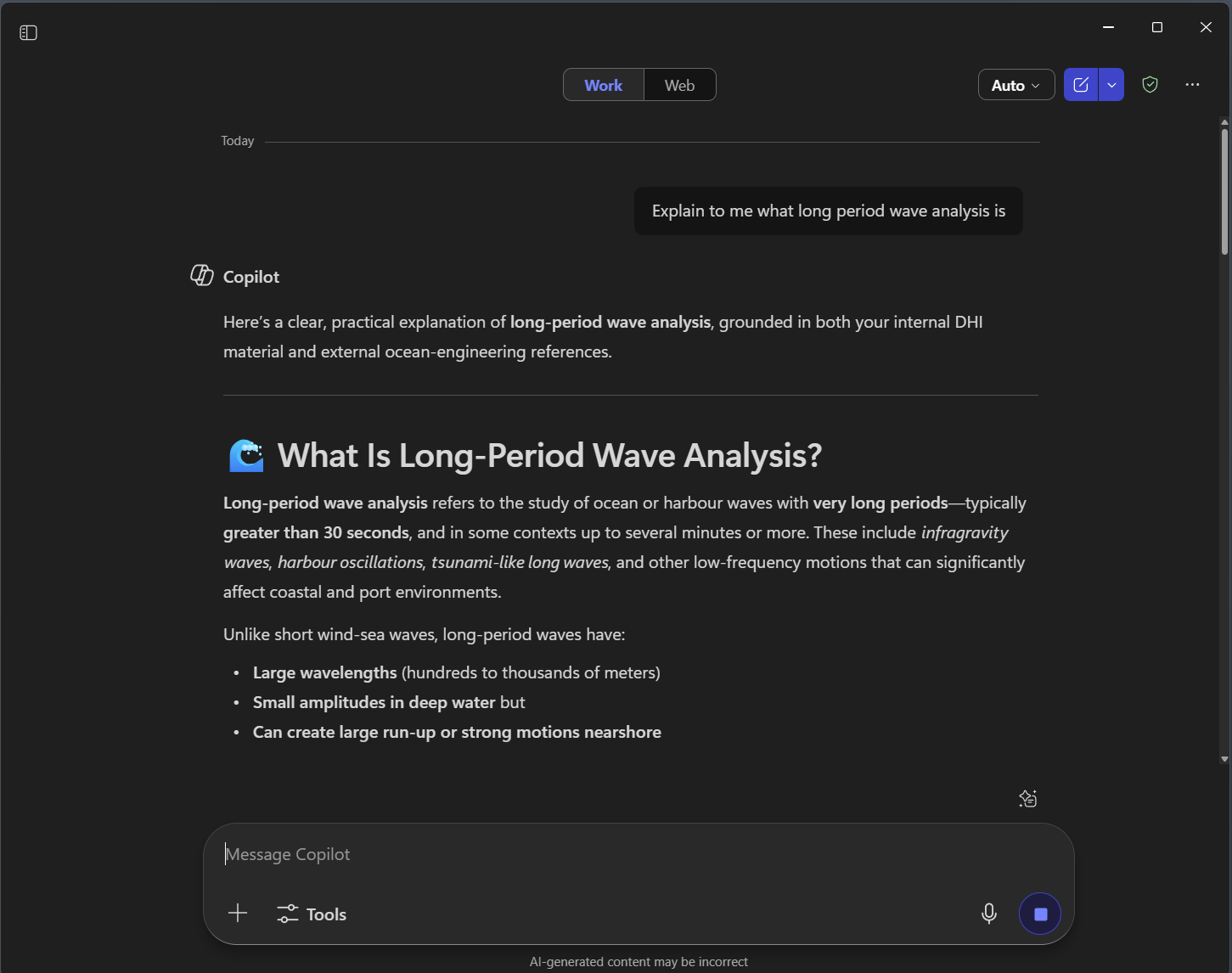 Figure 1: Microsoft 365 Copilot explaining a domain-specific topic (long-period wave analysis) in a clear, structured format. This demonstrates how general-purpose AI assistants can break down complex technical concepts for everyday use.
What You Must NOT Do
- Do not share confidential client data without written consent - Confidential client data must not be entered into any AI tool unless written client consent has been obtained (see standard contract clauses). Non-confidential client data — information the client has explicitly designated as non-confidential or that is publicly available — may be used with approved tools. For internal DHI documents, use the data sensitivity tiers to assess what is appropriate
- Use public AI tools with DHI internal or client data without approval - Public AI tools are only permitted for Green-tier use (no DHI/client data). Yellow-tier use requires Legal and IT approval. Red-tier use is restricted to MS 365 Copilot only
- Trust AI output as fact - AI assistants can hallucinate figures, references, and claims. Always verify factual accuracy before sharing externally
- Draft legal, contractual, or compliance content without expert review - AI can assist with early drafts, but legal and contractual documents must be reviewed by the appropriate authority before use
- Share AI-generated summaries of confidential meetings externally - Meeting transcriptions and summaries may contain sensitive information not intended for distribution
- Use AI to process or analyse client deliverables containing sensitive data - Client data in deliverables is subject to the same protections as any other confidential information
These rules are policy-based and rely on staff compliance. Enterprise agreements provide audit logging that supports oversight and accountability. Violations should be reported through the process described in the AI Guidelines - Non-Compliance and Enforcement.