How to Leverage Domain Services
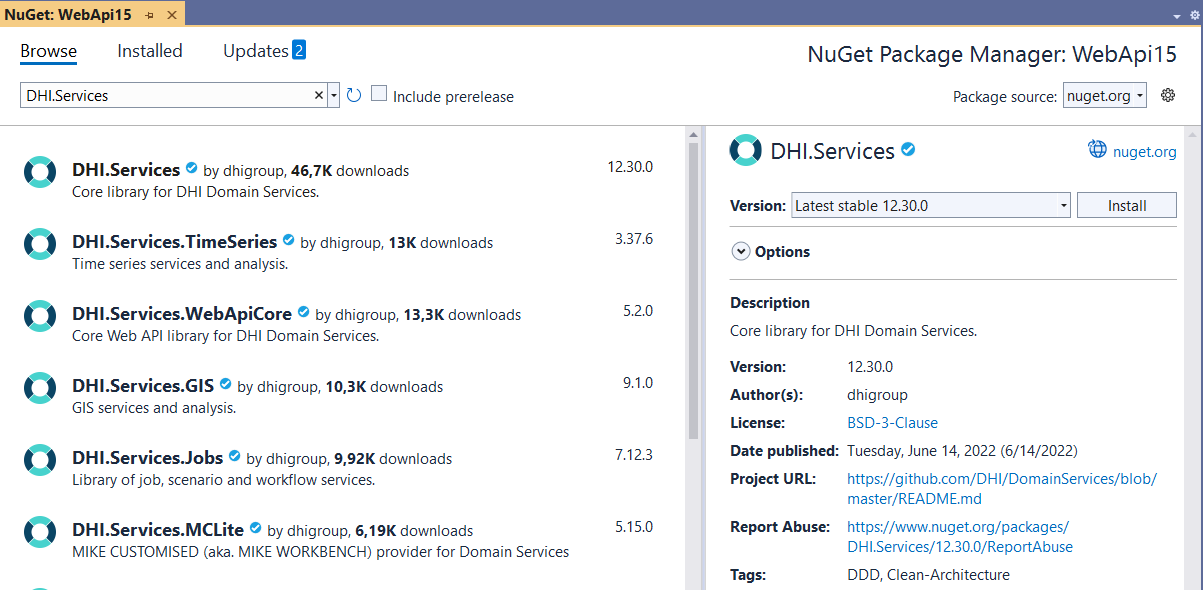
All Domain Services components are .NET assemblies (dlls) published as versioned NuGet packages. Thus, they are easily accessible for any developer at DHI using the NuGet package Manager within Visual Studio.
There are conceptually 3 ways to use Domain Services:
-
You can use the full stack through the web API components which expose the functionality through REST/HTTP APIs.
-
At a lower level, Domain Services provide a number of data-agnostic stateless .NET services that can be consumed directly in for example desktop applications or as a foundation for your own Web APIs.
-
Finally, you can use the Domain Services as a framework for developing your own service-oriented components.
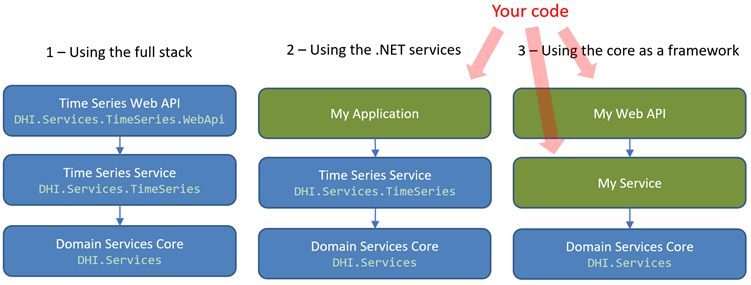
In the following, each of the 3 different use cases are described in more details.
Using the full stack
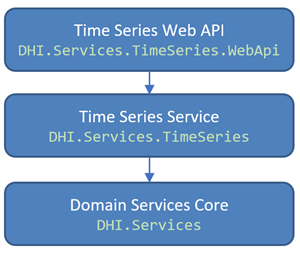
Domain Services provide a number of Web API components out of the box. Each Web API component represents a specific domain such as for example time series, geospatial data (GIS) or job execution. This separation makes it painless to deploy them as individual microservices.
The higher you go in the Domain Services stack, the more decisions have been made, and the more dependencies are introduced. The Domain Services Web APIs are made using the ASP.NET Core framework and a specific security model is selected.
One of the biggest advantages of the Web API components are that many of them come with a UI in the form of React components. For example, there is a React component that integrates with the GIS Web API for rendering vector graphics on a map. This way, you can establish a full vertical stack of functionality - from UI to storage - as a microservice. A complete list of available React components can be found here.
The Web API components, in combination with the React web components, have been used in numerous web applications - for example the prize-winning NCOS Online from Seaport OPX.
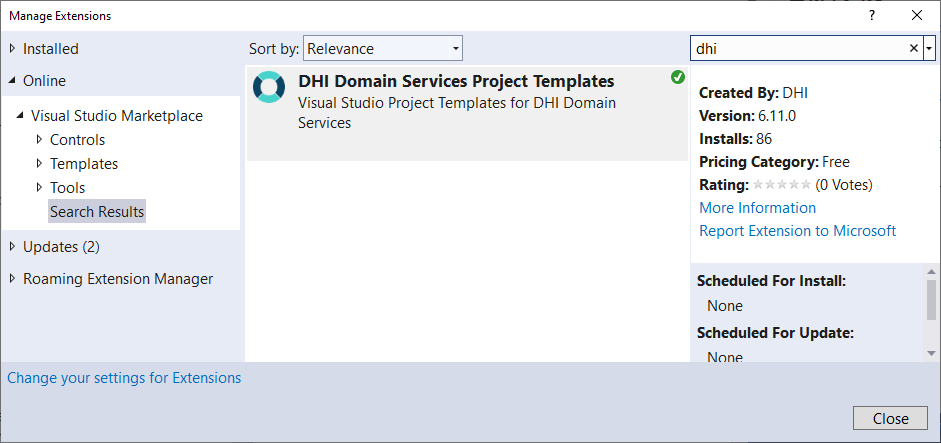
The easiest and best way to leverage the Web API components is by using the Domain Services project templates for Visual Studio. To install these templates, go to the menu Extensions -> Manage Extensions, search for "dhi" in Visual Studio Marketplace and install the templates from here.
Now, you have the Domain Services project templates available side-by-side the Visual Studio default project templates.
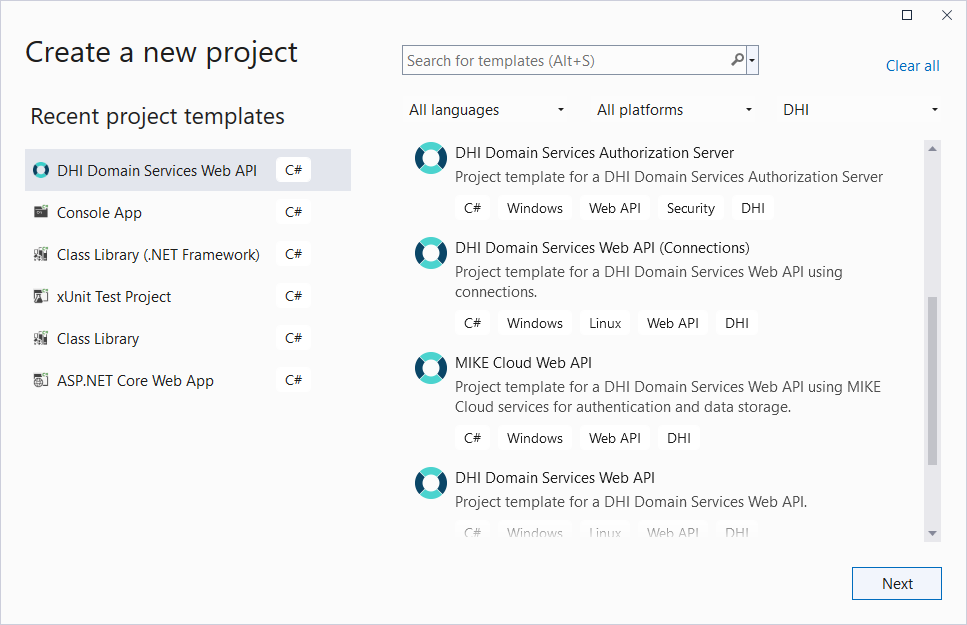
The "DHI Domain Services Web API" project template is a generic template that can be used to set up either a single project with multiple APIs (for example a combination of Time Series, GIS and Jobs) or a number of individual projects with a single API (microservice-deployment).
The "DHI Domain Services Authorization Server" is a dedicated template to set up a Domain Services authorization server to support the OAuth 2.0 authorization flow Resource Owner Password Credentials. For more information, see How to: Setup an authorization server.
All templates provide a Swagger UI for documentation and test.
Thus, setting up for example a Time Series Web API for a MIKE Operations database, deployed as a microservice, can be done using the following steps:
- Create a new project using the "DHI Domain Services Web API" template
- Install the NuGet package
DHI.Services.TimeSeries.WebApi - Install the NuGet package
DHI.Services.MCLite - Create and register the time series service in
startup.cs - Build and debug the project
- Using the Visual Studio Publish tool, deploy your API to for example an Azure App Service, to IIS or simply to a folder.
Using the .NET Services
Domain Services provides a layer of stateless .NET service components within various domains such as time series, geospatial data (GIS) and job execution.
Typical use cases for consuming these service components could be if you are building a classical Windows .NET application, in scripting scenarios, or if you are building a Web API, but want to use a different approach than offered by the "pre-baked" Web API components - for example another security model or even a different Web API development framework.
The .NET service components are used directly in for example the Model Predictive Control (MPC) engine.
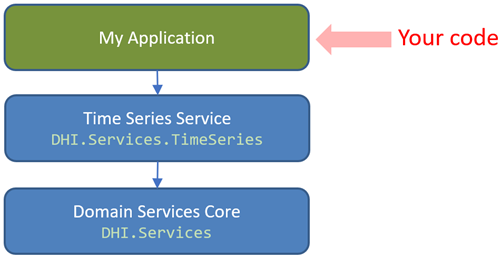
The service components are all data agnostic - meaning that data storage is abstracted away using repository interfaces, so that the service layer components can work with data from heterogeneous data sources - as long as a data provider for the data source is implemented. Out of the box, Domain Services provide a number of providers for common storage formats such as dfs-files, shape-files, the DIMS.CORE database, the MIKE Operations database and many more. All of these providers are available as NuGet packages.
For example, to use the Domain Services to retrieve and analyze time series data from a MIKE Operations database, simply install the DHI.Services.MCLite NuGet package.
Using Domain Services as a framework
The Domain Services Core (DHI.Services) provides a collection of generic interfaces and abstract base classes for domain driven design types such as entities, services and repositories. It also provides higher-level functionality such as:
- A declarative mechanism for configuring, initializing and accessing service instances (so-called connections)
- A generic repository for storing entities in a JSON file
- Services for logging, user account management, authentication and authorization
- Various tools such as
Guard,Maybe<T>,ParametersandQuery<T>
Thus, the Domain Services Core can be used as a generic framework for creating your own service-oriented components, if none of the higher-level "pre-baked" services fit your needs. This can be relevant to more easily add custom functionality to a specific project, instead of having to start from a blank sheet.
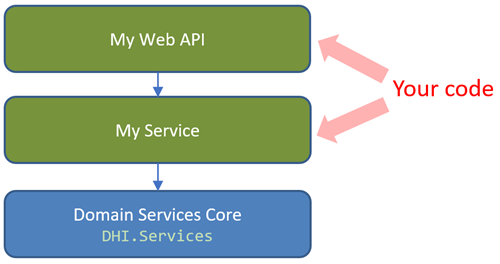
To use the Domain Services as a SOA-framework, simply install the DHI.Services NuGet package and get going.