Domain Services Web API
Getting Started
The easiest way to start is to use the BaseWebApi project template. Follow the instructions in Project Templates – Base Web API to install the template and set it up in Visual Studio.
Default Project Structure
The Base Web API project template contains the complete .csproj with current package references and target framework. See the template on GitHub for the current version.
Program.cs
The generated Program.cs configures:
- Authentication via JWT bearer tokens (RSA key-based)
- Authorization policies
- API versioning
- Swagger UI
- Serilog logging
- Base Domain Services Web API endpoints
If you need to generate your own RSA key pair, see How to create a pair of RSA signing keys for JWT
Example appsettings.json for local testing:
{
  "AppConfiguration": {
    "HstsMaxAgeInDays": 1
  },
  "Tokens": {
    "Issuer": "dhigroup.com",
    "Audience": "dhigroup.com",
    "PublicRSAKey": "[env:PublicRSAKey]"
  },
  "Swagger": {
    "SpecificationName": "MyApplicationOpenAPISpecification",
    "DocumentName": "MyApplicationWebAPI",
    "DocumentTitle": "My Application Web API",
    "DocumentDescription": "[AppData]SwaggerInfo.md"
  }
}
Running the Base Web API
If you run the Base Web API project without any extra packages, you’ll see something like this in Swagger:
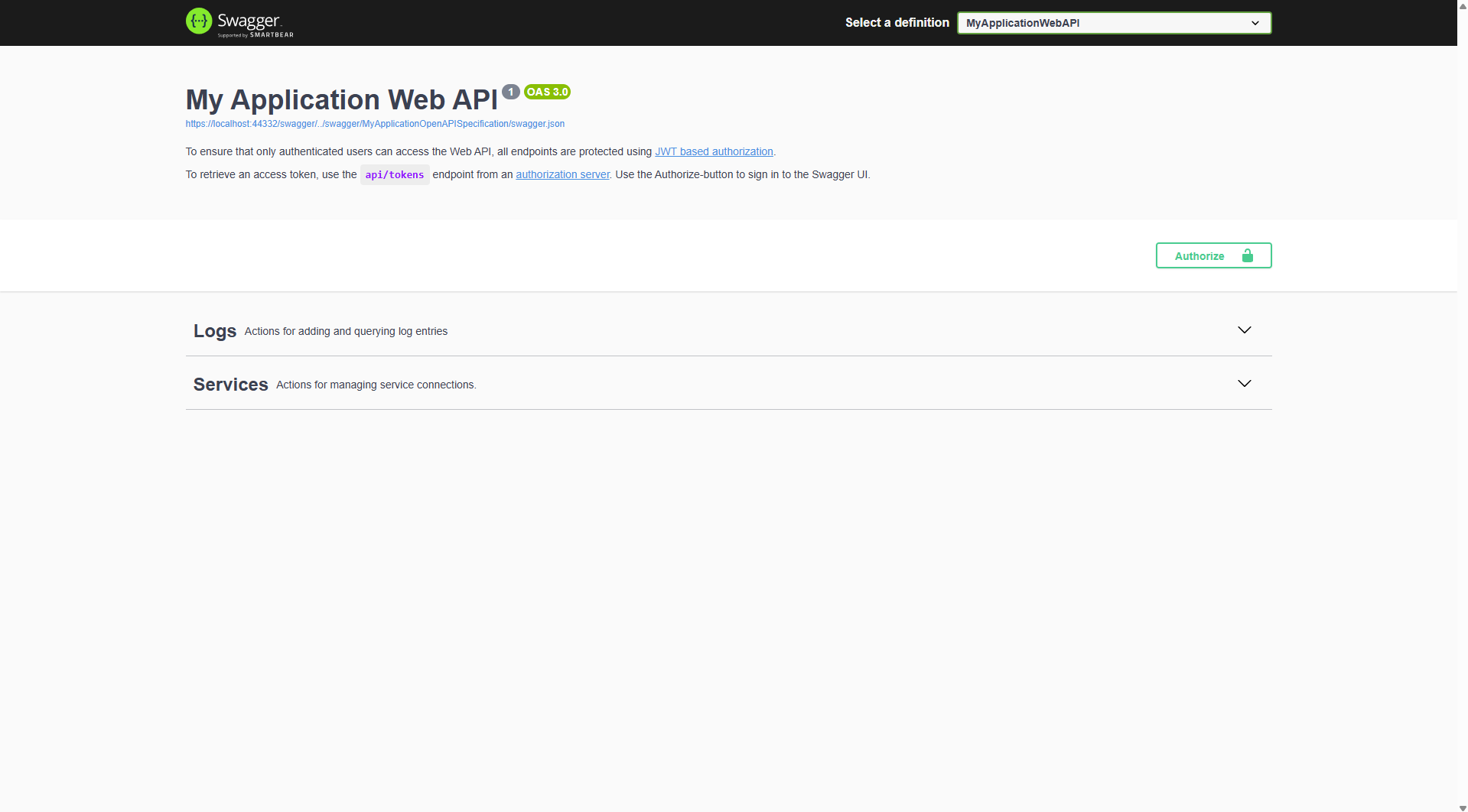
You already have:
- Logging endpoints
- Services endpoints (to check the list of services you have)
Adding New Endpoints – Example: Jobs
Install the DHI.Services.Jobs.WebApi package to add Jobs and Automations endpoints:
dotnet add package DHI.Services.Jobs.WebApi
Or, you can download it through NuGet Package Management.
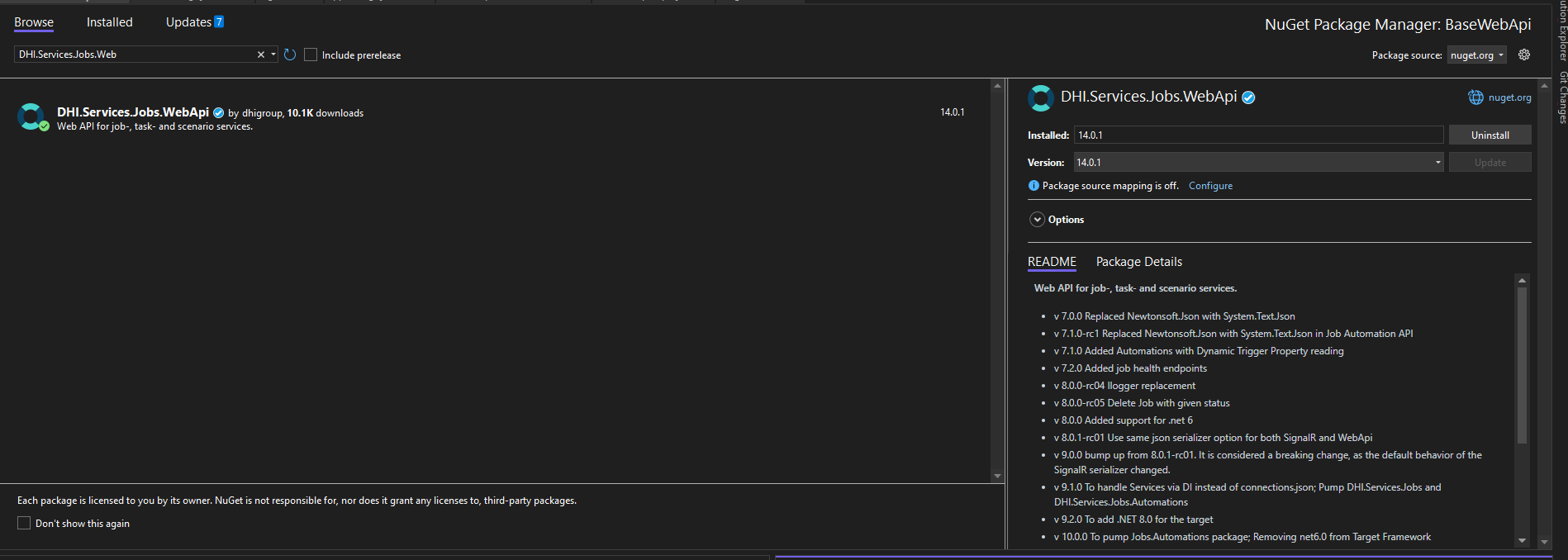
When you run the API again, you’ll see many new /api/jobs/..., /api/automations/..., etc. endpoints in Swagger.
Bypassing Authentication for Local Testing
By default, calling these endpoints will return 401 Unauthorized.
For quick local testing, you can bypass authorization and authentication.
After:
builder.Services.AddSerilog(seriLogger);
Add:
builder.Services.AddSingleton<IAuthorizationHandler, AllowAnonymousHandler>();
Warning: This should only be done in development/testing environments.
Registering Services
Even after installing the package and bypassing authorization, the API won’t work until you register the required services.
For production — use connections.json (declarative, no recompile needed):
See Register Services Dynamically with connections.json for setup instructions and examples.
For quick local testing only — register directly in Program.cs inside the #region Install Web APIs... block:
ServiceLocator.Register(
    new JobService<Workflow, string>(
        new JobRepository("[AppData]jobs.json".Resolve()),
        new TaskService<Workflow, string>(
            new WorkflowRepository("[AppData]workflows.json".Resolve(), SerializerOptionsDefault.Options.Converters)
        ),
        null
    ),
    "wf-jobs"
);
Warning:
ServiceLocator.Register(...)hardcodes configuration in code. Useconnections.jsonfor anything beyond local development.
- The connectionId in the URL (
wf-jobs) must match the ID passed toServiceLocator.Register. [AppData]paths resolve to theApp_Datafolder in your project root.
Example Data Files
Create an App_Data folder and add:
- jobs.json – sample jobs data
- workflows.json – sample workflows definitions
These files provide local storage for Jobs and Workflow services during testing. Sample content to get started:
jobs.json:
{
  "$type": "System.Collections.Generic.Dictionary`2[[System.Guid, System.Private.CoreLib],[DHI.Services.Jobs.Job`2[[System.Guid, System.Private.CoreLib],[System.String, System.Private.CoreLib]], DHI.Services.Jobs]], System.Private.CoreLib",
  "87a4ec9a-ebf9-49c8-a2a9-d7782668c038": {
    "$type": "DHI.Services.Jobs.Job`2[[System.Guid, System.Private.CoreLib],[System.String, System.Private.CoreLib]], DHI.Services.Jobs",
    "AccountId": "Admin",
    "Requested": "2020-06-30T11:56:58.2645413+02:00",
    "Status": "Cancelled",
    "TaskId": "WriteToFile",
    "Priority": 2,
    "Id": "87a4ec9a-ebf9-49c8-a2a9-d7782668c038"
  },
  "944ce506-1b4d-46f4-a567-dee5315d406c": {
    "$type": "DHI.Services.Jobs.Job, DHI.Services.Jobs",
    "AccountId": "admin",
    "Finished": "2021-10-14T20:03:56.7633788Z",
    "HostId": "localhost",
    "Requested": "2021-10-14T19:16:31.1369629Z",
    "Rejected": "2021-10-14T19:56:28.0556154Z",
    "Starting": "2021-10-14T20:03:55.7177604Z",
    "Started": "2021-10-14T20:03:56.5607226Z",
    "Status": "Error",
    "TaskId": "WriteToFile",
    "Priority": 1,
    "Id": "944ce506-1b4d-46f4-a567-dee5315d406c",
    "Added": "2021-10-14T19:16:31.1398753Z",
    "Updated": "2021-10-14T20:03:56.8078396Z"
  },
  "e5f7ef20-f335-4245-a2a0-4ff0532280bf": {
    "$type": "DHI.Services.Jobs.Job, DHI.Services.Jobs",
    "AccountId": "admin",
    "Finished": "2021-10-14T20:13:43.5287009Z",
    "HostId": "localhost",
    "Requested": "2021-10-14T20:12:43.1649877Z",
    "Starting": "2021-10-14T20:13:42.7421776Z",
    "Started": "2021-10-14T20:13:43.3465297Z",
    "Status": "Completed",
    "TaskId": "WriteToFile",
    "Priority": 1,
    "Id": "e5f7ef20-f335-4245-a2a0-4ff0532280bf",
    "Added": "2021-10-14T20:12:43.1778728Z",
    "Updated": "2021-10-14T20:13:43.5751631Z"
  },
  "8c0696ae-ad02-4669-93f0-376215e3e824": {
    "$type": "DHI.Services.Jobs.Job`2[[System.Guid, System.Private.CoreLib],[System.String, System.Private.CoreLib]], DHI.Services.Jobs",
    "AccountId": "admin",
    "Requested": "2022-03-17T09:51:41.8468821Z",
    "Status": "Pending",
    "TaskId": "WriteToFile",
    "Priority": 1,
    "Id": "8c0696ae-ad02-4669-93f0-376215e3e824",
    "Added": "2022-03-17T09:51:41.9909145Z"
  }
}
workflows.json:
workflows.json — sample WF workflow definitions (expand to view)
{
  "WriteToFile": {
    "Definition": "<Sequence mc:Ignorable=\"sads sap\" sap:VirtualizedContainerService.HintSize=\"222,146\" mva:VisualBasic.Settings=\"Assembly references and imported namespaces serialized as XML namespaces\" xmlns=\"http://schemas.microsoft.com/netfx/2009/xaml/activities\" xmlns:mc=\"http://schemas.openxmlformats.org/markup-compatibility/2006\" xmlns:mva=\"clr-namespace:Microsoft.VisualBasic.Activities;assembly=System.Activities\" xmlns:sads=\"http://schemas.microsoft.com/netfx/2010/xaml/activities/debugger\" xmlns:sap=\"http://schemas.microsoft.com/netfx/2009/xaml/activities/presentation\" xmlns:scg=\"clr-namespace:System.Collections.Generic;assembly=mscorlib\" xmlns:x=\"http://schemas.microsoft.com/winfx/2006/xaml\" xmlns:dwac1=\"clr-namespace:DHI.Workflow.Activities.Core;assembly=DHI.Workflow.Activities.Core\">\r\n  <sap:WorkflowViewStateService.ViewState>\r\n    <scg:Dictionary x:TypeArguments=\"x:String, x:Object\">\r\n      <x:Boolean x:Key=\"IsExpanded\">True</x:Boolean>\r\n    </scg:Dictionary>\r\n  </sap:WorkflowViewStateService.ViewState>\r\n  <dwac1:WriteToFile Append=\"False\" DisplayName=\"WriteFile\" FileName=\"C:\\Temp\\__test.txt\" sap:VirtualizedContainerService.HintSize=\"200,22\" Text=\"Hello World!\" />\r\n</Sequence>",
    "Name": "WriteToFile",
    "Id": "WriteToFile"
  },
  "WriteToFileWParam": {
    "Definition": "<Sequence mc:Ignorable=\"sads sap\" sap:VirtualizedContainerService.HintSize=\"222,146\" mva:VisualBasic.Settings=\"Assembly references and imported namespaces serialized as XML namespaces\" xmlns=\"http://schemas.microsoft.com/netfx/2009/xaml/activities\" xmlns:mc=\"http://schemas.openxmlformats.org/markup-compatibility/2006\" xmlns:mva=\"clr-namespace:Microsoft.VisualBasic.Activities;assembly=System.Activities\" xmlns:sads=\"http://schemas.microsoft.com/netfx/2010/xaml/activities/debugger\" xmlns:sap=\"http://schemas.microsoft.com/netfx/2009/xaml/activities/presentation\" xmlns:scg=\"clr-namespace:System.Collections.Generic;assembly=mscorlib\" xmlns:x=\"http://schemas.microsoft.com/winfx/2006/xaml\" xmlns:dwac1=\"clr-namespace:DHI.Workflow.Activities.Core;assembly=DHI.Workflow.Activities.Core\">\r\n  <sap:WorkflowViewStateService.ViewState>\r\n    <scg:Dictionary x:TypeArguments=\"x:String, x:Object\">\r\n      <x:Boolean x:Key=\"IsExpanded\">True</x:Boolean>\r\n    </scg:Dictionary>\r\n  </sap:WorkflowViewStateService.ViewState>\r\n  <dwac1:WriteToFile Append=\"False\" DisplayName=\"WriteFile\" FileName=\"C:\\Temp\\__test.txt\" sap:VirtualizedContainerService.HintSize=\"200,22\" Text=\"Hello World!\" />\r\n</Sequence>",
    "Name": "WriteToFileWParam",
    "Id": "WriteToFileWParam",
    "Parameters": {
      "FolderName": "System.String"
    }
  }
}
SignalR Requirements for Jobs
The Jobs Web API also uses SignalR for notifications.
Enable SignalR in Program.cs:
builder.Services.AddSignalR();
Inject additional services:
builder.Services.AddSingleton<IFilterRepository>(_ =>
    new FilterRepository("[AppData]signalr-filters.json".Resolve()));
builder.Services.AddScoped<Microsoft.Extensions.Logging.ILogger>(_ =>
    new SimpleLogger("[AppData]log.log".Resolve()));
The files signalr-filters.json and log.log are not strictly required, but we still need to inject IFilterRepository and Microsoft ILogger.
Testing the Jobs API
With everything configured:
- Start your Web API project.
- In Swagger, call:
POST /api/jobs/wf-jobs with:
{
  "Tag": "ThisIsTag",
  "HostGroup": "Minion",
  "Priority": 0,
  "TaskId": "WriteToFile"
}
The new job will be saved in jobs.json.
- Call GET
/api/jobs/wf-jobsto retrieve all jobs.
Next: JSON Converters