AI-Powered Development Tools
AI-powered development tools assist with coding, testing, documentation, and repository analysis.
For the core AI policy, data protection rules, and governance, see the AI Guidelines. For how to get access and which tool to choose, see Accessing AI Tools.
Accountability: You are fully responsible for all code produced with AI assistance. AI does not replace professional engineering judgment - you must review, understand, and take ownership of everything AI generates before committing it to the codebase. You own the product and all AI-assisted output must meet DHI's normal engineering quality bar, including being fully understood by the developer, passing required tests and checks (build/lint/unit tests), meeting security standards (no secrets, secure coding), and being peer-reviewed via the standard PR process before merge.
Development Tool Approval Status
| Tool | Status | Notes |
|---|---|---|
| GitHub Copilot | Approved | Allowed if you have an existing licence until our enterprise plan is in place. Remember to disable Microsoft using code for training |
| Claude Code | Approved | Allowed if you have an existing licence until our enterprise plan is in place. Remember to disable Anthropic using code for training |
| Public AI chat models for code | Green use only | ChatGPT, Gemini, Grok, etc. may be used for generic coding questions that do not involve DHI code or internal information (Green tier). Must not be used with DHI code — consumer tools may use your input for model training (see Why Enterprise AI Products? and Usage Tiers) |
| Browser extensions sending code to cloud | Not Approved | Any plugin that transmits code externally is prohibited. |
Existing users: If you already have a personal or team licence for GitHub Copilot, you may continue using it until DHI's enterprise agreements are in place. At that point, you must transition to the DHI enterprise offering. While using any AI tool - whether personal or enterprise - you must ensure that training on your input and code is disabled in the tool's settings.
GitHub Copilot
GitHub Copilot has been selected as the default AI coding assistant for DHI Group engineers. Operating directly within the IDE (Visual Studio, Visual Studio Code, and JetBrains IDEs), it assists with everyday development tasks such as:
- Writing small functions or boilerplate code
- Generating documentation and comments
- Producing unit tests
- Suggesting improvements to clarity or structure
- Context-aware code completion as you type
- Expanding snippets and common code patterns
- Explaining unfamiliar code in plain language
- Helping with complex syntax (regex, date formatting, LINQ queries)
- Executing shell commands and running builds via agent mode
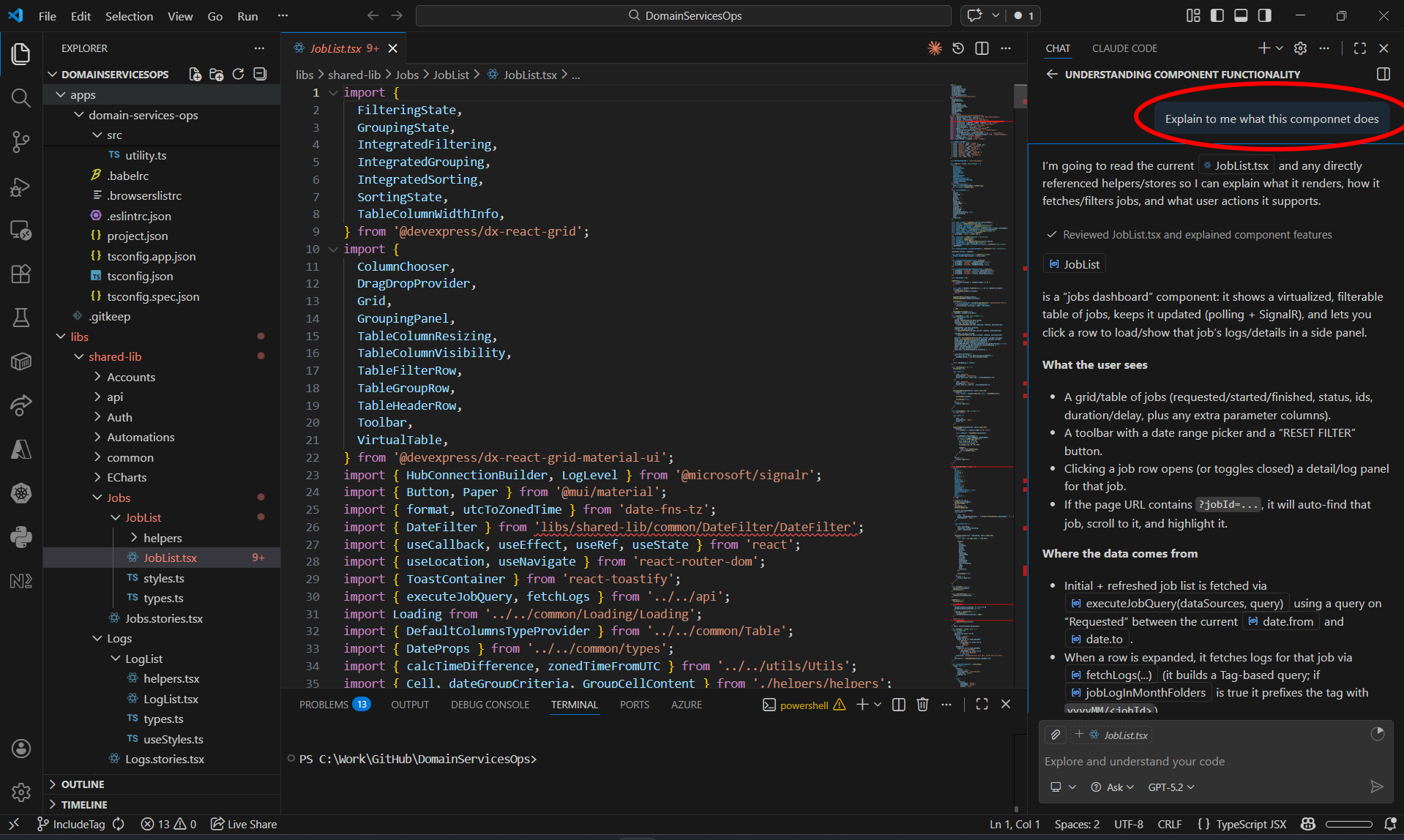 Figure 1: GitHub Copilot's chat panel in Visual Studio Code, explaining component functionality and data flow within a project. The chat interface sits alongside the editor, providing context-aware assistance without leaving the IDE.
Claude Code
Claude Code has been selected as DHI Group's advanced agentic AI tool. Operating in the terminal with full repository access, it can autonomously execute complex multi-step operations. While Claude Code is primarily operated from the terminal, IDE integration is also available - for example as an extension in Visual Studio Code - providing an embedded experience similar to GitHub Copilot:
- Implement entire features across multiple files in a single session
- Refactor legacy codebases while preserving behaviour
- Generate comprehensive test suites with edge case coverage
- Diagnose and fix bugs by tracing execution paths across the system
- Perform large-scale migrations (framework upgrades, API changes, database schemas)
- Execute shell commands, run tests, and iterate until builds pass
- Create pull requests with well-structured commits and documentation
- Spawn sub-agents to parallelise complex tasks (e.g., reviewing multiple files simultaneously)
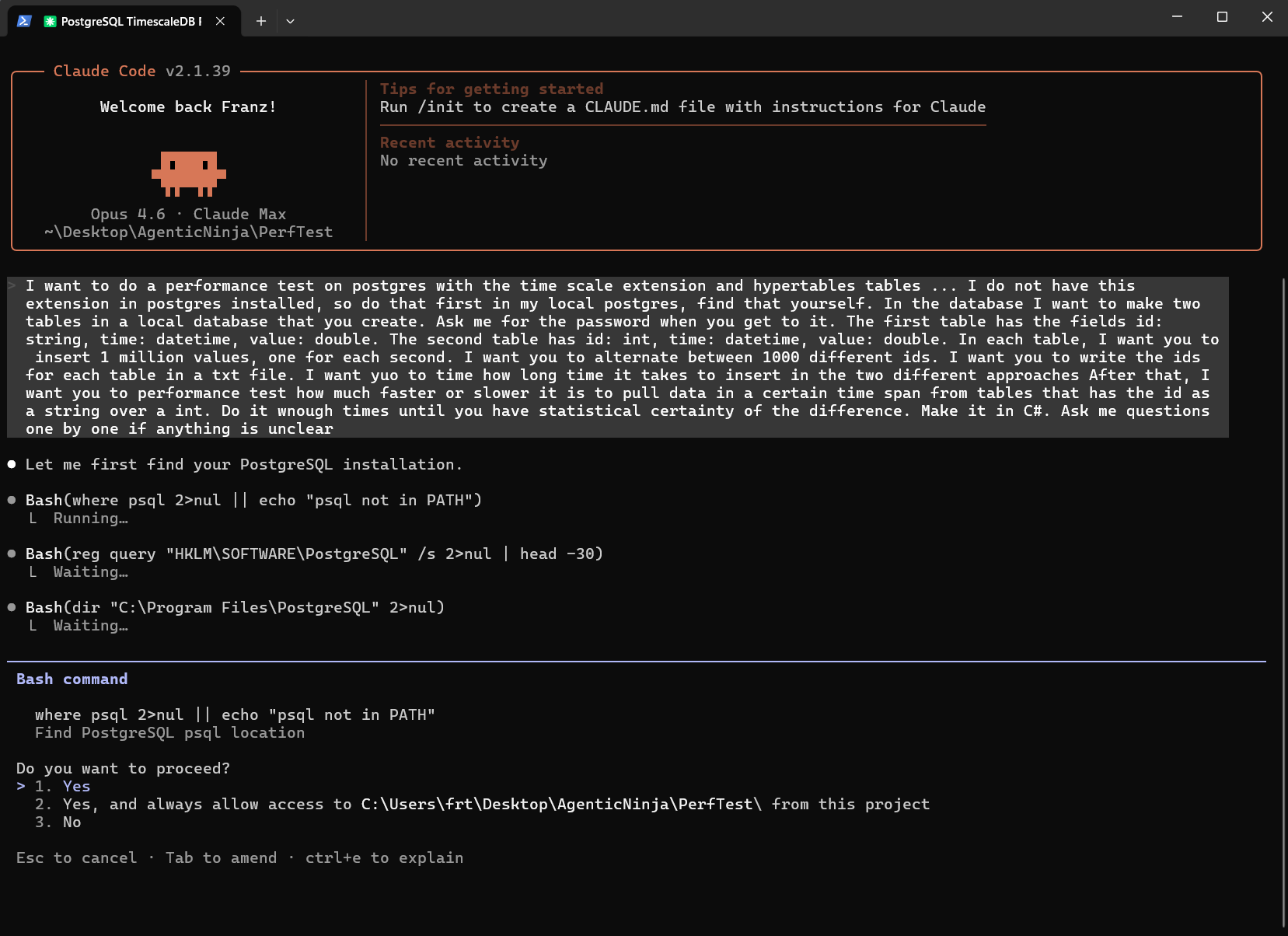 Figure 2: Claude Code running in a terminal, autonomously executing a complex multi-step task. The agent processes a detailed prompt, runs multiple shell commands in parallel, and requests user permission before proceeding - demonstrating the agentic workflow with built-in guardrails.
What You Must NOT Do
In addition to the data protection rules in the AI Guidelines - Data Protection and the tool restrictions in the table above:
- Accept AI-generated code resembling GPL/AGPL or restrictive licences. If AI output appears to be derived from a known open-source project, verify the licence is compatible with DHI's use before including it. When in doubt, consult Legal
- Allow AI tools to commit directly to protected branches or auto-resolve merge conflicts - protected branches serve as a quality gate requiring peer review, and auto-resolved conflicts can silently introduce errors or overwrite intentional changes
AI in CI/CD Pipelines
AI-powered tools are increasingly used in automated pipelines with examples being, AI-based code review bots, automated PR summaries, AI-powered SAST/DAST scanners, and test generation in CI. These integrations carry additional risk because they run unattended, may process entire repositories automatically, and may send code to external services without per-invocation human review.
Any AI integration in CI/CD pipelines must be approved by the AI CoE and must meet the same data protection requirements as interactive tools (see AI Guidelines - Data Protection). Teams proposing pipeline integrations should document: which AI service is called, what data is sent, whether it runs on every commit or selectively, and how outputs are used (advisory vs. blocking). All published development guidelines (coding standards, branching strategy, review processes, etc.) remain fully in effect regardless of AI usage.
Related guidelines: The DevOps CI/CD Guidelines and Infrastructure as Code Guidelines apply fully when using AI in pipeline and infrastructure work. These guidelines can also be used to instruct AI coding assistants on DHI's standards and conventions.
Model Context Protocol (MCP) Servers
MCP servers extend AI tools with access to external data sources and APIs. All MCPs require approval based on data exposure risk. Even local-only MCPs may pose significant risk if they access databases or file systems containing client data, PII, or credentials - the approval category reflects network boundary, not data sensitivity. Teams must assess the sensitivity of the data the MCP will access regardless of category.
Note: Built-in capabilities of approved tools (such as local file search and repository indexing in GitHub Copilot and Claude Code) are covered by the tool's own approval and do not require separate MCP notification. The policy below applies to additional MCP servers that users install or configure beyond the tool defaults.
| Category | Examples | Approval |
|---|---|---|
| Local-only (non-sensitive data) | Third-party MCP browsing local build logs or reading non-sensitive project wikis - no access to client data or secrets | Notify AI CoE |
| Local-only (sensitive data) | Third-party MCP querying local DB containing client data, or accessing configuration files with credentials | AI CoE approval required |
| Third-party | Third-party MCP connecting to external SaaS APIs or cloud services | AI CoE approval required |
Currently Approved Model Context Protocol (MCP) Servers:
No Model Context Protocol (MCP) Servers are currently pre-approved for general use.
To request approval: Contact the AI CoE with MCP source, purpose, and data flow details.