Script Module
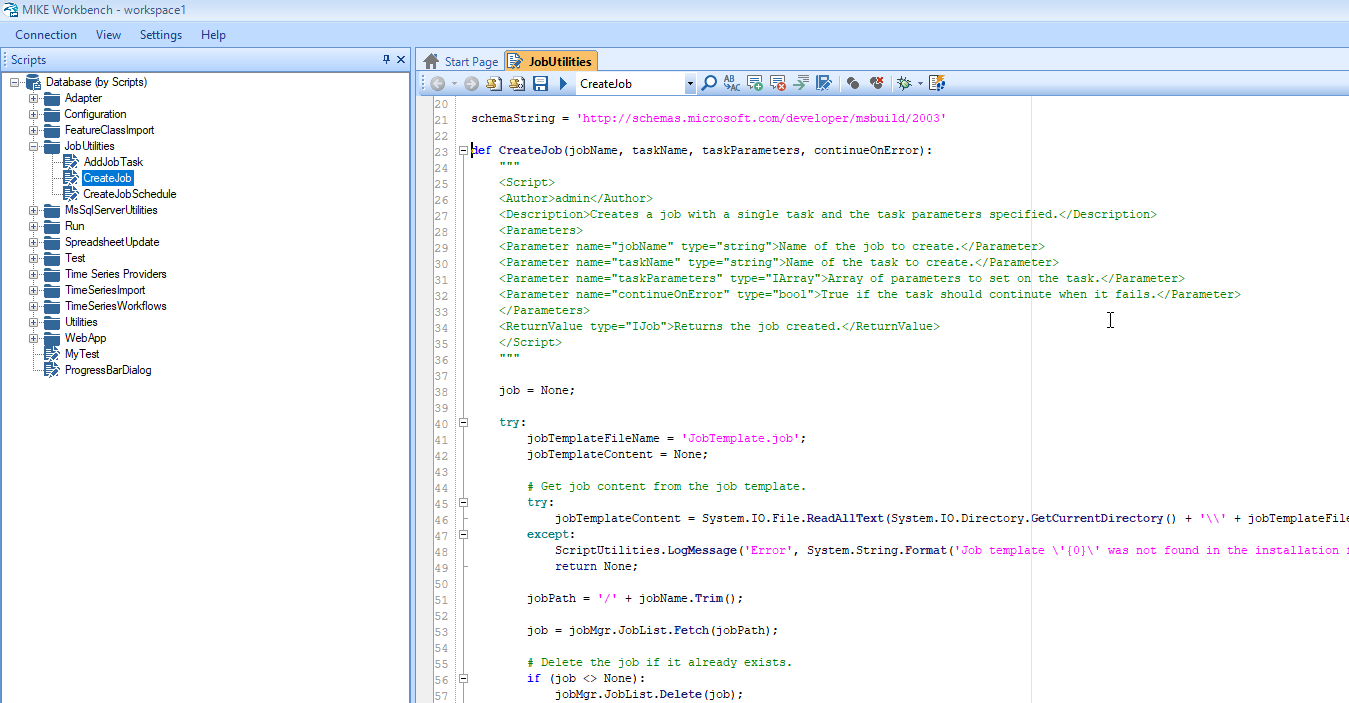
The script Manager offers the possibility for users to write their own Python scripts and thereby create customized functionality using MIKE Workbench Application Interfaces to other Managers and Tools. With scripting it is possible to create customized workflow processes, tailored to specific needs.
Scripts can be organized in a logical folder structure, and when opening the Script Manager of MIKE Workbench for the first time it will show only the root node. From this it is possible to create a folder structure, similar to folders on disk into which the scripts are placed.
C# code samples part of MIKE OPERATIONS SDK documentation can easily be converted into Python scripts with a few changed. Se more here.
In DHI Deveopers, MIKE OPERATIONS modules, provider and tools has code samples for C#, IronPython and CPython.
The main difference between IronPython and CPython are:
- CPython is based on the embedded Python 3.9 but can also use Python installations defined by the user.
- IronPython is based on an embedded Python version 2.7.12
- CPython is type safe. This means that modules and tools needs to be casted into the types of themodules and tools
- IronPython is not type safe, so no casting is nessesary.
Scripts are saved into scripts storages containing the script content.
The C# sample code below shows how to create, fetch, and execute a script, when the NuGet package DHI.MikeOperations.ScriptManager.IronPython or DHI.MikeOperations.ScriptManager.CPython has been installed.
// Get the script module
var scriptModule = application.Modules.Get("Script Manager") as DHI.Solutions.ScriptManager.Interfaces.IScriptModule;

// Create a script storage and set script data.
var scriptStorage = scriptModule.ScriptStorageList.CreateNew();
scriptStorage.Name = "Storage1";
string scriptData = @"
def divide(x, y):
""""""
<Script>
<Author>admin</Author>
<Description>This is function divide</Description>
</Script>
""""""
return x / y
";
scriptStorage.Data = scriptData;
scriptModule.ScriptStorageList.Add(scriptStorage, true);

// Get all scripts of the script storage and get the one script in the list.
var query = new DHI.Solutions.Generic.Query();
query.Add(new DHI.Solutions.Generic.QueryElement("Storage.Id", scriptStorage.Id, DHI.Solutions.Generic.QueryOperator.Eq));
var scripts = scriptModule.ScriptList.Fetch(query);
var script = scripts.Single();

// Execute the script (with parameters)
var parameters = new System.Collections.Generic.Dictionary<string, object>();
parameters.Add("x", 15);
parameters.Add("y", 3);
var res = scriptModule.ExecuteScript(script, parameters);

// The script can be fetched from the path also, as the script is placed in the root when adding a new script.
var scriptFromPath = scriptModule.ScriptList.Fetch("/divide");
# Get the script module
scriptModule = app.Modules.Get("Script Manager")

# Create a script storage and set script data.
scriptData = '''def divideValues(x, y):
    """
    <Script>
    <Author>admin</Author>
    <Description>This is function divide</Description>
    </Script>
    """
return x / y
'''

# Create a script storage and set script data.
scriptStorage = scriptModule.ScriptStorageList.CreateNew()
scriptStorage.Name = "MyStorage"
scriptStorage.Data = scriptData
scriptModule.ScriptStorageList.Add(scriptStorage, True)

# Get all scripts of the script storage and get the one script in the list.
query = DHI.Solutions.Generic.Query()
query.Add(DHI.Solutions.Generic.QueryElement("Storage.Id", scriptStorage.Id, DHI.Solutions.Generic.QueryOperator.Eq))
scripts = scriptModule.ScriptList.Fetch(query)
script = scripts[0]

# Execute the script (with parameters)
parameters = System.Collections.Generic.Dictionary[str, System.Object]()
parameters.Add("x", 15)
parameters.Add("y", 3)
res = scriptModule.ExecuteScript(script, parameters)

# The script can be fetched from the path also, as the script is placed in the root when adding a new script.
scriptFromPath = scriptModule.ScriptList.Fetch("/divideValues")
# Get the script module
scriptModule = DHI.Solutions.ScriptManager.Interfaces.IScriptModule(app.Modules.Get("Script Manager"))

# Create a script storage and set script data.
scriptData = '''def divideValues(x, y):
    """
    <Script>
    <Author>admin</Author>
    <Description>This is function divide</Description>
    </Script>
    """
return x / y
'''

# Create a script storage and set script data.
scriptStorage = scriptModule.ScriptStorageList.CreateNew()
scriptStorage.Name = "MyStorage"
scriptStorage.Data = scriptData
scriptModule.ScriptStorageList.Add(scriptStorage, True)

# Get all scripts of the script storage and get the one script in the list.
query = DHI.Solutions.Generic.Query()
query.Add(DHI.Solutions.Generic.QueryElement("Storage.Id", scriptStorage.Id, DHI.Solutions.Generic.QueryOperator.Eq))
scripts = scriptModule.ScriptList.Fetch(query)
script = scripts[0]

# Execute the script (with parameters)
parameters = System.Collections.Generic.Dictionary[str, System.Object]()
parameters.Add("x", 15)
parameters.Add("y", 3)
res = scriptModule.ExecuteScript(script, parameters)

# The script can be fetched from the path also, as the script is placed in the root when adding a new script.
scriptFromPath = scriptModule.ScriptList.Fetch("/divideValues")
Module Providers
The script module contains the following providers to access entities in the database.
| Provider | Description |
|---|---|
| ScriptList | Manage scripts. |
| ScriptGroupList | Manage script groups. |
| ScriptStorageList | Manage script storage (a script storage can contain one or more scripts) |
| PreparedScriptList | Manage prepared scripts (a script stored with parameters to use for executing). |
Read more about using module providers here
Github
The script GitHub provider allows running and debugging Python scripts stored GitHub repositories.
MIKE OPERATIONS provides a public GitHub repository with many sample scripts using the MIKE OPERATIONS API.
Add a new GitHub script provider in the script explorer of MIKE Workbench using the following connection string.
https://api.github.com;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;DHI;MIKE-OPERATIONS
DevOps
The script DevOps provider allows running and debugging Python scripts stored DevOps repositories.
Python versions
The schema below shows what versions of Python are embedded into the MIKE OPERATIONS releases.
Python Enhancement Proposals (PEP) refers to the official Python release schedule for the embedded CPython versions.
Note
The embedded IronPython version is not expected to be upgraded with future versions of MIKE OPERATIONS. This can change if IronPython starts releasing updated (and supported) Python versions.
| Release | IronPython | CPython | Python Enhancement Proposals (PEP) |
|---|---|---|---|
| 2026 | 2.7.12 | 3.11.9 | Python 3.11 Release Schedule |
| 2025.3 | 2.7.12 | 3.11.9 | Python 3.11 Release Schedule |
| 2025.2 | 2.7.12 | 3.11.9 | Python 3.11 Release Schedule |
| 2025.1 | 2.7.12 | 3.11.9 | Python 3.11 Release Schedule |
| 2025 | 2.7.12 | 3.11.9 | Python 3.11 Release Schedule |
| 2024.3 | 2.7.12 | 3.11.9 | Python 3.11 Release Schedule |
| 2024.2 | 2.7.12 | 3.11.9 | Python 3.11 Release Schedule |
| 2024.1 | 2.7.12 | 3.11.7 | Python 3.11 Release Schedule |
| 2024 | 2.7.12 | 3.9.13 | Python 3.9 Release Schedule |
| 2023.4 | 2.7.9 | 3.9.13 | Python 3.9 Release Schedule |
| 2023.3 (obsolete) | 3.4.1 | 3.9.10 | Python 3.9 Release Schedule |
| 2023.2 | 2.7.9 | 3.9.10 | Python 3.9 Release Schedule |
| 2023.1 | 2.7.9 | 3.9.10 | Python 3.9 Release Schedule |
| 2023 | 2.7.9 | 3.9.10 | Python 3.9 Release Schedule |
| 2022.1 | 2.7.7 | 3.9.10 | Python 3.9 Release Schedule |
| 2022 | 2.7.7 | 3.7.3 | Python 3.7 Release Schedule |
| 2021.1 | 2.7.7 | 3.7.3 | Python 3.7 Release Schedule |
| 2021 | 2.7.7 | 3.7.3 | Python 3.7 Release Schedule |
MIKE OPERATIONS will embed the latest bug fix release of the current minor version of Python (Python bugfixe releases are expected every two months).
Minor versions (3.x), released by Python every year, will be updated embedded in MIKE OPERATIONS when the Python minor version has been released for at least a year.
Note
After MIKE OPERATIONS version 2024.1, minor Python versions is expected to be upgraded with every major MIKE OPERATIONS release. See expected Python versions below (subject to change).
| Release | IronPython | CPython | Python Enhancement Proposals (PEP) |
|---|---|---|---|
| 2026 (expected Nov 2025) | 2.7.12 | 3.13.6 | Python 3.13 Release Schedule |
For more information about official Python support and the Python release cycle, refer to the Python Developer's Guide.
IronPython
A new script storage is by default using a .NET implementation of Python IronPython.
IronPython is an excellentaddition to the .NET ecosystem, providing Python developers with the power of .NET. Existing .NET developers can also use IronPython as a fast and expressive scripting language.
IronPython aims to be a fully compatible implementation of the Python language. At the same time, the value of a separate implementation than CPython is to make available the .NET ecosystem of libraries. IronPython does this byexposing .NET concepts as Python entities. Existing Python syntax and new Python libraries (like clr) are used to make .NET features available to IronPython code.
IronPython does NOT support C-API extensions like signal and numpy. To get a list of available build-in modules, write the following code:
import sys
print(sys.builtin_module_names)
With MIKE OPERATIONS 2023.3 and later versions, the following build-in modules are available.
'_ast', '_bisect', '_bz2', '_codecs', '_collections', '_csv', '_ctypes', '_ctypes_test', '_datetime', '_functools', '_heapq', '_imp', '_io', '_locale',
'_md5', '_multiprocessing', '_opcode', '_operator', '_overlapped', '_random', '_sha1', '_sha256', '_sha512', '_socket', '_sre', '_ssl', '_string', '_struct',
'_thread', '_warnings', '_weakref', '_winapi', 'array', 'atexit', 'audioop', 'binascii', 'builtins', 'clr', 'cmath', 'errno', 'faulthandler', 'gc', 'itertools',
'marshal', 'math', 'mmap', 'msvcrt', 'nt', 'pyexpat', 'pyexpat.errors', 'pyexpat.model', 're', 'select', 'signal', 'sys', 'time', 'unicodedata', 'winreg', 'winsound',
'xxsubtype', 'zipimport', 'zlib'
On top of the build-in modules, a long list of additional modules are installed with MIKE OPERATIONS. A complete list of the modules installed, see the installation folder
in C:\Program Files (x86)\DHI\<version>\MIKE OPERATIONS\bin\python-stdlib\ironpython\
The list includes but not limitted to the following modules.
email, encodings, html, http, json, sqlite3, xml
To execute IronPython scripts, install the NuGet package DHI.MikeOperations.ScriptManager.IronPython.
Python v2 to Python v3
Moving from Python version 2. to Python 3., requires some changed to the Python code.
Note
Note that the IronPython version upgraded in MIKE OPERATIONS 2023.3 has been reverted back to 2.7.12 with release 2024, because of the many cahnges that should be made to scripts as well as critical issues with the IronPython 3.4 version. This means that when using IronPython scripts, only Python 2 is supported. There are currently no plans for upgrading IronPython scripts to Python 3. If Python 3 is needed, go for the CPython implementation of the script manager, setting the script type of script storages to CPython.
Python 3.* improves the Python experience.
- Python 3 provides a simpler syntax compared to Python 3.
- A long list of new and improved Python libraries.
- Open Source with a large community base.
- User friendly data structure.
- Faster engine.
When upgrading from earlier versions of MIKE OPERATIONS, scripts written in Python, could potentially not be able to compile. In most cases, it is very simle to fix these errors.
PRINTis now a method. Useprint().<>inIFstatments are not allowed. Use!=.
Also note that integer division now always return a float and not sometimes an int. 6/3 = 2.0 and not 6/3 = 2.
Check out the automated Python 2 to Python 3 converter.
CPython
As an alternative to IronPython, CPython is supported using PythonNet. Note that the PythonNet package does not implement Python as a first-class CLR language - it does not produce managed code(IL) from Python code. Rather, it is an integration of the CPython engine with the .NET or Mono runtime. This approach allows you to use CLR services and continue to use existing Python code and C-API extensions while maintaining native execution speeds for Python code. If you are interested in a pure managed-code implementation of the Python language, you should check out the IronPython project, which is in active development.
The CPython implementation of MIKE OPERATIONS 2023.3 contains the default Python modules of the Python version as well as a number of additional modules (with dependencies).
More modules can be installed using pip.
geopandas
mathplotlib
mikecore
mikeio
numpy
osgeo
The liist of installed modules can be found in the MIKE OPERATIONS installation folder in C:\Program Files (x86)\DHI\<version>\MIKE OPERATIONS\bin\python-stdlib\python\site-packages\
To execute CPython scripts, install the NuGet package DHI.MikeOperations.ScriptManager.CPython, containing the Python modules embedded with the MIKE OPERATIONS installation.
Note
Note that CPython is type safe. This means that e.g. modules should be casted to the required module types.
The sample below shows an example on casting in CPython.
# Get the module (type IModule) and cast it into the correct type (ITimeSeriesModule).
module = app.Modules.Get('Time series Manager');
tsModule = DHI.Solutions.TimeseriesManager.Interfaces.ITimeSeriesModule(module)
ts = tsModule.TimeSeriesList.Fetch('/Telemetry/Catchment rainfall/3250_SAVA_BOHINJKA_BODESCE_Rainfall.dfs0 [weighted]')

vpList = ts.FetchAll()
castList = System.Collections.Generic.List[DHI.Solutions.Generic.IDataSeriesValuePair]()

# Loop the time steps and add them to a new list.
for vp in vpList:
    castList.Add(vp)

# Create a new time step and add it to the list.
vpNew = ts.CreateNew()
vpNew.XValue = System.DateTime.Now
vpNew.YValue = 5
castList.Add(vpNew)
ts.SetData(castList);
tsModule.TimeSeriesList.Update(ts);
Importing Python modules
The CPython implementation supports importing additional Python modules using pip.
It is important that modules are installed into the installation folder of MIKE OPERATIONS (default: “C:\Program Files (x86)\DHI\
The following sample shows how to import the numpy module.
- Open a cmd prompt and run “cd /d C:\Users\
\AppData\Local\Programs\Python\Python37\Scripts” - Run the command “pip install --target="C:\Program Files (x86)\DHI[version]\MIKE OPERATIONS\bin\python-stdlib\python\site-packages” numpy”. The folder “C:\Program Files (x86)\DHI[version]\MIKE OPERATIONS” is the installation folder of MIKE OPERATIONS.
- Open MIKE Workbench and create a storage. Remember to change the script type in the property grid to CPython.
- The script below will use the imported numpy module
import numpy as np
def PrintArray():
    a = np.array([1,2,3,4,5])
    np.savetxt(r"c:\Temp\array.txt",a)
Python 3rd party editors
The MIKE OPERATIONS .NET API can be used with 3rd party Python editors like Visual Studio Code.
This can be done, either by using an existing MIKE OPERATIONS installation or by building a dedicated application based on NuGet packages needed.
Note
Using 3rd party Python editors is supported with MIKE OPERATIONS 2024 and later versions.
Note
Using a version of MIKE OPERATIONS installed with the MIKE OPERATIONS installer, only support targeting the .NET Framework.
Create a .NET application for Python developmnent
Follow the steps in the getting started section of the MIKE OPERATIONS SDK.
- Create a project
- Set target SDK and the runtime
- Build the application
- Run the application to create a runtime.config
Refer to the Getting Started section on how to create a .NET project and application.
Install the pythonnet library
Install the PythonNet library using the following command from a Python command prompt.
pip install pythonnet
Visual Studio Code
The sample code below, shows how to get the MIKE OPERATIONS application running using Python in Visual Studio Code.
import os
# The folder containing the MIKE OPERATIONS installation or .NET project build with MIKE OPERATIONS NuGet packages.
binFolder = "[MIKE OPERATIONS dll folder]"

# Change the current directory so that MIKE OPERATIONS dll's can be found.
os.chdir(binFolder)

# In case the default runtime (.NET Framework) should not be used, a new runtime has to be loaded using a runtime.json file (e.g. python.net60.runtimeconfig.json).
# The section below is only required if this is the case (uncomment).
#from pythonnet import set_runtime
#from clr_loader import get_coreclr
#rt = get_coreclr(runtime_config = "python.net60.runtimeconfig.json")
#set_runtime(rt)

# Once the runtime has been loaded, the clr library can be imported and .NET dll's including the MIKE OPERATIONS dll's can be referenced.
import clr

# Run this code once (uncomment lines) to generate the Runtime.config file, after deploy files has been added, changed or removed e.g. when installing MO NuGet packages.
# NOTE, Do NOT run this method in a MIKE OPERATIONS folder created by the MIKE OPERATIONS installer, as the runtime.config is already there and used by MIKE Workbench.
#clr.AddReference("RuntimeConfigGenerator")
#import DHI.Solutions.Utility.RuntimeConfig
#import os
#os.chdir(binFolder)
#DHI.Solutions.Utility.RuntimeConfig.Generator.Generate([])

# Add reference to required assemblies
clr.AddReference("DHI.Solutions.Application")
clr.AddReference("DHI.Solutions.Generic")
clr.AddReference("DHI.Solutions.TimeseriesManager.Interfaces")

# Import the MIKE OPERATIONS namespaces/types to use from the added references.
import DHI.Solutions.Application
import DHI.Solutions.Generic
import DHI.Solutions.TimeseriesManager.Interfaces

# Create the MIKE OPERATIONS application object.
app = DHI.Solutions.Application.Application()

# Set the connection
app.SetConnection("database=[database name];host=localhost;port=5432;dbflavour=PostgreSQL")

# Set the runtime config.
DHI.Solutions.Generic.Plugin.RuntimeConfig = "Runtime.config"

# Login with user name and password to connect to the database.
app.Login("admin", "[password]", "workspace1")

# Startup the application, so that modules, providers and tools are loaded.
app.StartUp()

# Use the API
tsModule = DHI.Solutions.TimeseriesManager.Interfaces.ITimeSeriesModule(app.Modules.Get('Time series Manager'))
tsModule.TimeSeriesList.Query(DHI.Solutions.Generic.Query())
count = tsModule.TimeSeriesList.Count
print(count)
Troubleshooting
Scripts will not compile after upgrading to the preview version MIKE OPERATIONS 2023.3
With MIKE OPERATIONS 2023.3, the Python engine used by IronPython scripts has been upgraded from Python v2 to Python v3 (3.4).
It is recommended to use either MIKE OPERATIONS 2023.2 or upgrading to MIKE OPERATIONS 2024.
The move from Python 2 to Python 3 is a breaking change.
This means that some old Python 2 scripts will have syntax errors when moving to Python 3 (note the following commonly used syntax).
PRINTstatement is now a methodprint(""). Change the Python 2 script to use theprint()method instead of thePRINTSTATEMENT that does not exist in Python 3.- Integer division is always a float.
- In IF statements
<>is no longer supported. Use!=. Change any use of<>in IF statements to!=.
For a complete list of changes between Python 2 and Python 3, please refer to web sites describing the language differences e.g. Python3Porting
CPython: A "No method matches given arguments for..." is thrown
CPython does not match types with .NET as IronPython. This means that variables should be casted to the required types.
ts.SetData(System.Collections.Generic.List[DHI.Solutions.Generic.IDataSeriesValuePair](vpList))
Error: User is not mapped [select user from User user where user.UserName = :username]
This error occurs when running an application using the MIKE OPERATIONS .NET NuGet packages if the Runtime.config cannot be loaded or cannot be found.
Make sure that the Runtime.config has been created, using the RuntimeConfig.Generator.
Error: Could not create the driver from NHibernate.Driver.NpgsqlDriver.
This error occurs when running an application using the MIKE OPERATIONS .NET NuGet packages if the Npgsql NuGet package has not been installed.
Make sure to include the Npgsql NuGet package in the project.