Real-time Module
Introduction
The real-time module is used for maintaning and using configurations created and used in MIKE OPERATIONS Desktop and MIKE OPERATIONS Web Classic.
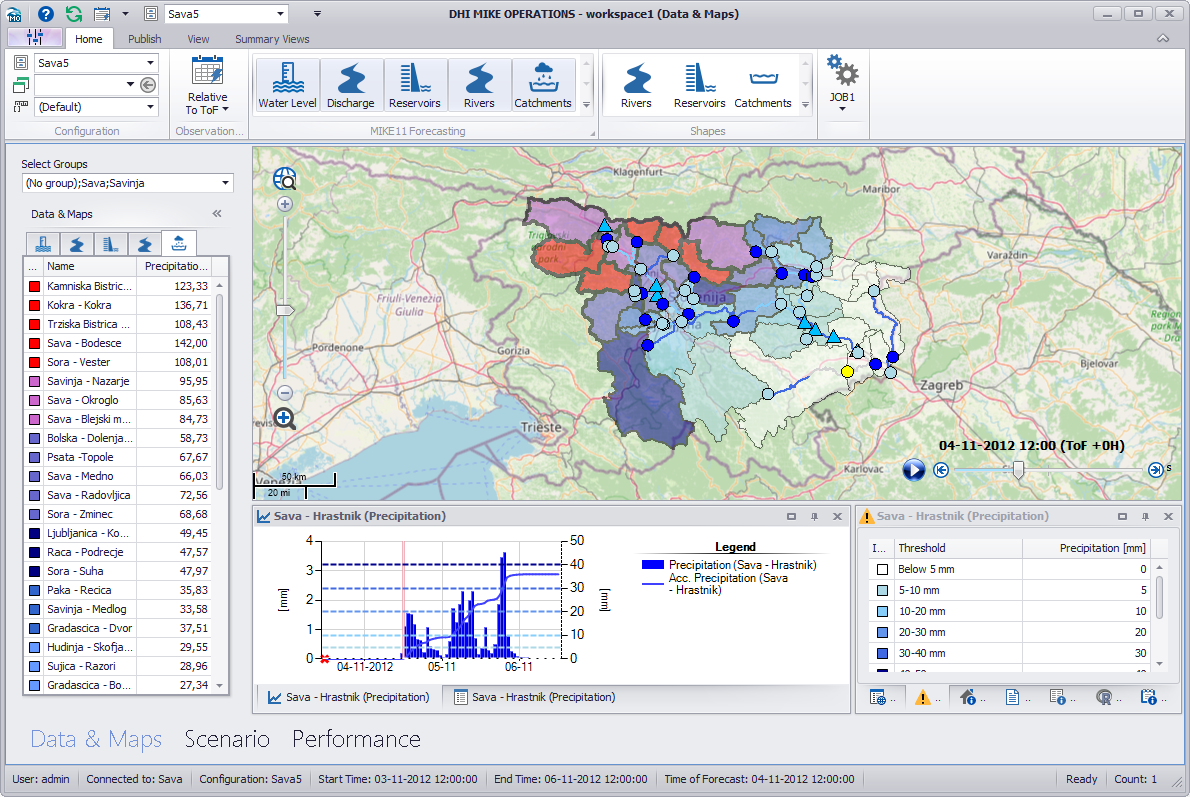
Real-time configurations are stored in spreadsheets in the spreadsheet manager of MIKE Workbench and can be found in the path /Real time configurations.
The Real time configurations spreadsheet contains a list of the real-time configurations available.
Each real-time configuration is stored in a spreadsheet group with the name of the configuration.
This means that a real-time configuration named MyConfiguration can be found in the spreadsheet manager in the spredasheet group /Real time configurations/MyConfiguration.
The real-time module is installed when selecting MIKE OPERATIONS Desktop during the MIKE OPERATIONS installation or can be installed with the NuGet package DHI.MikeOperations.RealtimeManager.
When creating scripts using the Real-time module API, the following section should be added to the runtime.config, to make sure that threshold caching tables can be updated.
xml
<Product
    Name="OperatorUI">
    <Plugins>
      <Plugin
        Name="DHI.Solutions.RealtimeManager.Data.FakeDTO"
        Type="DHI.Solutions.Generic.IDTO"
        Assembly="DHI.Solutions.RealtimeManager.Data.dll" />
      <Plugin
        Name="DHI.Solutions.RealtimeManager.Business.RealtimeModule"
        Type="DHI.Solutions.Generic.IModule"
        Assembly="DHI.Solutions.RealtimeManager.Business.dll" />
      <Plugin
        Name="DHI.Solutions.RealtimeManager.Business.ThresholdCache"
        Type="DHI.Solutions.Generic.IDTO"
        Assembly="DHI.Solutions.RealtimeManager.Business.dll" />
    </Plugins>
  </Product>
The sample below shows how to get the real-time module if the module has already been loaded from the runtime.config.
```cs var realtimeModule = application.Modules.Get("RealtimeModule") as DHI.Solutions.RealtimeManager.Interfaces.IRealtimeModule;
// Load the real-time configurations spreadsheet to get all the configurations available. realtimeModule.LoadRealtimeConfigurations();
// Loop all the configurations and load the setup of the configuration to be maintain from the . DHI.Solutions.RealtimeManager.Interfaces.IRealtimeConfiguration realtimeConfiguration = null;
foreach (var configuration in realtimeModule.RealtimeConfigurations) { if (configuration.Name == "MyConfiguration") { realtimeConfiguration = configuration; configuration.LoadConfiguration(false); break; } }
// Get the feature types of the real-time configuration from the Feature Types spreadsheet.
var featureTypes = realtimeConfiguration.FeatureTypesSpreadsheet.SpreadsheetItems;
```
```python realtimeModule = app.Modules.Get("RealtimeModule")
Load the real-time configurations spreadsheet to get all the configurations available.
realtimeModule.LoadRealtimeConfigurations()
Loop all the configurations and load the setup of the configuration to be maintain from the .
realtimeConfiguration = None
for configuration in realtimeModule.RealtimeConfigurations: if configuration.Name == "MyConfiguration": realtimeConfiguration = configuration configuration.LoadConfiguration(False) break
Get the feature types of the real-time configuration from the Feature Types spreadsheet.
featureTypes = realtimeConfiguration.FeatureTypesSpreadsheet.SpreadsheetItems ```
```python realtimeModule = DHI.Solutions.RealtimeManager.Interfaces.IRealtimeModule(app.Modules.Get("RealtimeModule"))
Load the real-time configurations spreadsheet to get all the configurations available.
realtimeModule.LoadRealtimeConfigurations()
Loop all the configurations and load the setup of the configuration to be maintain from the .
realtimeConfiguration = None
for configuration in realtimeModule.RealtimeConfigurations: if configuration.Name == "MyConfiguration": realtimeConfiguration = configuration configuration.LoadConfiguration(False) break
Get the feature types of the real-time configuration from the Feature Types spreadsheet.
featureTypes = realtimeConfiguration.FeatureTypesSpreadsheet.SpreadsheetItems ```
The real-time module can also be loaded directly from code. The sample below shows how to load the real-time module if it hasn't been loaded from the runtime.config
```cs // Create an instance of the real-time module. var realtimeModule = new DHI.Solutions.RealtimeManager.Business.RealtimeModule();
// Startup the module. realtimeModule.StartUp(application);
// Add the module to the modules collection of the application. application.Modules.Add(realtimeModule);
// Load the real-time configurations spreadsheet to get all the configurations available. realtimeModule.LoadRealtimeConfigurations(); ```
```python
Create an instance of the real-time module.
realtimeModule = DHI.Solutions.RealtimeManager.Business.RealtimeModule()
Startup the module.
realtimeModule.StartUp(app)
Add the module to the modules collection of the application.
app.Modules.Add(realtimeModule)
Load the real-time configurations spreadsheet to get all the configurations available.
realtimeModule.LoadRealtimeConfigurations() ```
Configuration Spreadsheets
Each real-time configuration consists of a number of configuration speadsheets containing configuration information.
| Speadsheet name | RealtimeConfiguration Property | Description |
|---|---|---|
| General settings | N/A | General setting of the configuration, containg information about - model setup and forecast scenario - coordinate system - background map - SMTP configuration - and more |
| Observation Periods | ObservationPeriodSpreadsheet |
Spreadsheet containing observation periods. |
| Feature Types | FeatureTypesSpreadsheet |
Feature types of the configuration. |
| Groups | GroupSpreadsheet |
Spreadsheet containing filter groups. |
| Jobs | JobsSpreadsheet |
Spreadsheet containing jobs and how jobs are shown in the ribbon. |
| Scenarios | ScenarioSpreadsheet |
Spreadsheet containing scenarios created in scenario mode. |
| Scenario Templates | ScenarioTemplatesSpreadsheet |
Spreadsheet containing scenario templatates available when creationg ned scenarios. |
| Contacts | ContactSpreadsheet |
Spreadsheet containing contacts. |
| Summary Views | SummaryViewSpreadsheet |
Spreadsheet containing summary views and how they are shown in the ribbon. |
| Themes | ThemesSpreadsheet |
Spreadsheet containing themes information. |
| Metadata | MetadataSpreadsheet |
Spreadsheet containing meta data. |
| Tools | ToolsSpreadsheet |
Spreadsheet containing tools and how they are shown in the ribbon. |
| Scripts | ScriptsSpreadsheet |
Spreadsheet containing scripts and how they are shown in the ribbon. |
| Spreadsheets | SpreadsheetsSpreadsheet |
Spreadsheet containing spredasheets and how they are shown in the ribbon. |
| Languages | LanguagesSpreadsheet |
spreadsheet containing langauges available for messages alert. |
| Messages | MessagesSpreadsheet |
Spreadsheet containing alert messages. |
| Documents | DocumentsSpreadsheet |
Spreadsheet containing documents and how they are shown in the ribbon. |
| Feature Statistics | FeatureStatisticsSpreadsheet |
Spreadsheet containing feature statistics and how they are shown in the ribbon. |
| ChartPanels | ChartPanelsSpreadsheet |
Spreadsheet containing chart panels and how they are shown in the ribbon. |
| Notifications | NotificationsSpreadsheet |
Spreadsheet containing notification configuration. |
| Web | WebSpreadsheet |
Spreadsheet containing web pages (links) and how they are shown in the ribbon. |
Properties
The table below shows the most common properties of a real-time spreadsheet.
| Name | Description |
|---|---|
| HasLoaded | Gets a value indicating whether spreadsheet has been loaded. |
| IsChanged | Gets a value indicating whether the spreadsheet is changed. |
| ItemType | Gets the type of the items contained in the spreadsheet. |
| SpreadsheetItems | Gets a list of items as item type (rows) in the spreadsheet. |
Methods
The table below shows the most common methods of a real-time spreadsheet.
| Name | Description |
|---|---|
| CreateSpreadsheetItem() | Creates a new spreadsheet item (row) of the item type in the list of spreadsheet items. |
| GetUniqueItemId() | Gets the next unique item id for a spreadsheet item. |
| LoadSpreadsheet(bool forceLoad) | Loads the items of the spreadsheet into a list of elements (SpreadsheetItems) of the given type. |
| SaveSpreadsheet() | Saves the spreadsheet into the database. |